IPTV Subscriptions 2026: Plans, Pricing & What to Expect

Choosing an IPTV subscription is simpler than it looks once you understand how plan tiers, connection limits, and pricing structures actually work. This guide covers everything you need to know before spending a penny — from the difference between monthly and annual plans to what a multi-connection subscription genuinely delivers.

12 min read Transactional USA · UK · Worldwide
IPTV subscription plan options displayed on a modern interface showing monthly, quarterly and annual pricing tiers

What an IPTV Subscription Actually Includes

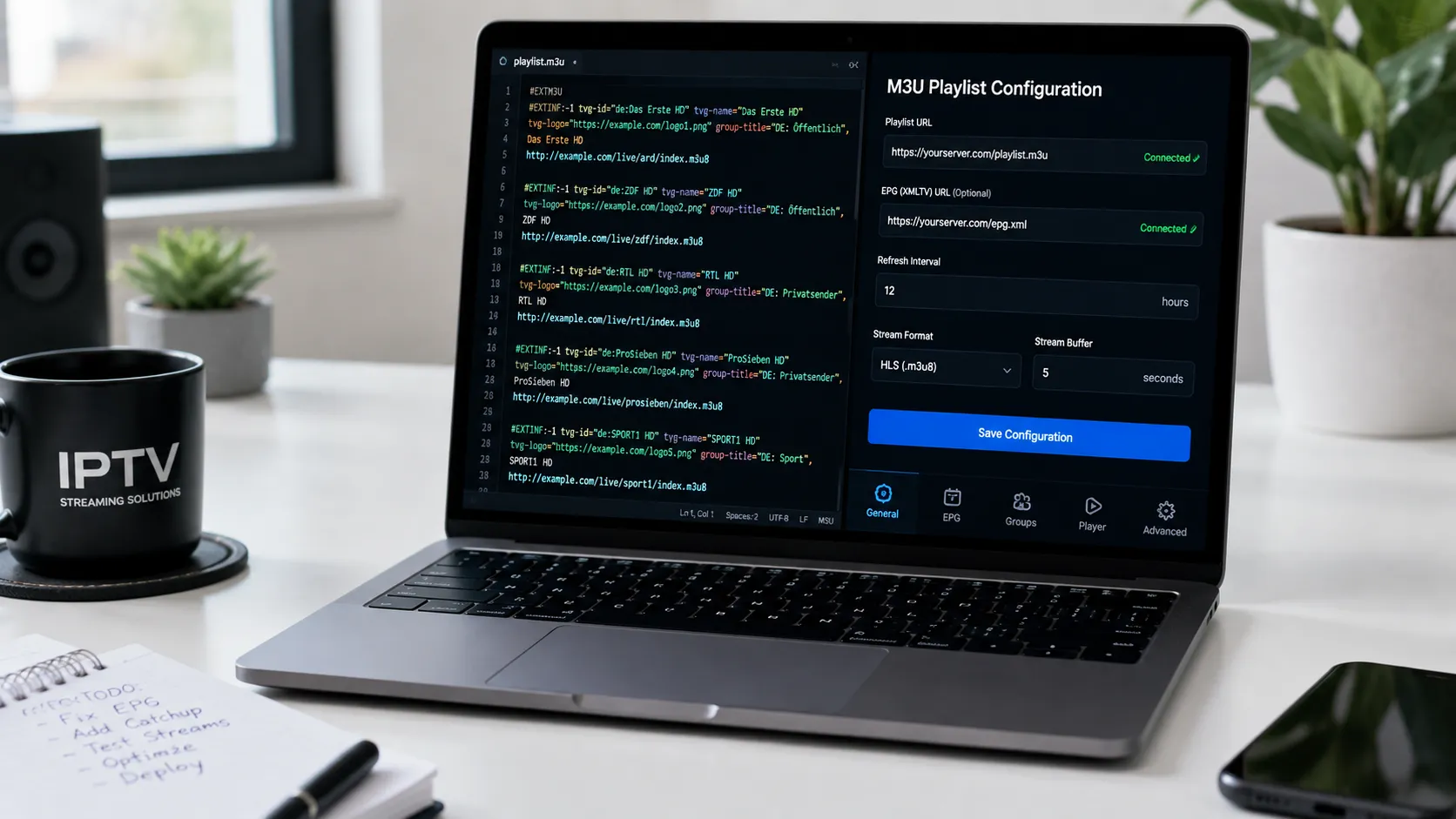
When you subscribe to an IPTV service, you receive access credentials — typically an M3U playlist URL or a set of Xtream Codes login details (server address, username, password). These credentials are entered into a compatible IPTV player app on your device, which uses them to load your channel list, EPG guide, and video-on-demand library.

What those credentials unlock depends entirely on the provider and the plan tier you choose. At the basic level, a subscription provides access to a curated list of live TV channels. More complete offerings add a full Electronic Programme Guide, a VOD library of films and series, catch-up functionality for recently aired content, and multi-screen support across simultaneous connections.

It is worth being specific about what you expect from a subscription before choosing a plan. A household that primarily wants live sport and a functional EPG has different requirements from one that wants an extensive film library and catch-up TV. Understanding the content priorities of everyone in your household helps you match a plan to actual usage rather than paying for features that go unused.

Important: subscriptions are credentials, not apps

An IPTV subscription gives you access credentials to use inside a player app — it does not include the player itself. You will need to separately install a compatible IPTV player such as IPTV Smarters Pro or TiviMate. Our IPTV player apps guide covers the best options for every device.

Monthly vs Quarterly vs Annual: Which Plan Length Makes Sense?

IPTV subscriptions are commonly offered across four time periods — monthly, quarterly (3 months), semi-annual (6 months), and annual (12 months). The pricing difference between these tiers is significant, and understanding the trade-offs helps you make a financially sound decision.

Monthly subscriptions

Monthly plans carry the highest per-month cost but provide maximum flexibility. They are the right choice when you are trying a provider for the first time, when you are not yet confident about long-term quality, or when you have a genuinely seasonal need — for example, subscribing only during a major sports season. Starting monthly lets you verify that the service delivers what it promises before committing financially to a longer period.

Quarterly subscriptions

Three-month plans represent a middle ground — meaningfully cheaper than rolling monthly subscriptions while still giving you a relatively short commitment window. They suit subscribers who have completed a satisfactory trial period and want to continue at a lower rate without the full commitment of an annual plan.

Annual subscriptions

Annual plans deliver the best per-month value — typically 30 to 50 percent less than equivalent monthly pricing. They make sense once you have built confidence in a provider through at least one or two months of real-world daily use. An annual plan on a provider you trust is consistently the best value decision; an annual plan on an unknown provider that turns out to be unreliable is money lost.

Comparison of IPTV subscription plan lengths
Plan Length Relative Cost Flexibility Best For
MonthlyHighest per monthCancel anytimeFirst-time trial, seasonal viewers
Quarterly (3 months)Moderate savingMedium commitmentPost-trial consolidation
Semi-annual (6 months)Good savingModerate commitmentEstablished subscribers
Annual (12 months)Best per-month valueLowest flexibilityProven provider, regular viewers

Single vs Multi-Connection Subscriptions

One of the most practically important decisions when choosing an IPTV subscription is the number of simultaneous connections included. This refers to how many streams can run at the same time under a single account.

A single-connection subscription means only one device can stream at a time. This is perfectly adequate for a solo viewer or a household where everyone watches together. The moment two people want to watch different content at the same time — different rooms, different devices — a single connection becomes a bottleneck.

Multi-connection plans resolve this directly. A two-connection plan allows two simultaneous streams; a three-connection plan allows three. The credentials can be installed on any number of devices — the limit applies only to how many can actively stream at the same moment, not to how many devices have the app installed and configured.

When evaluating multi-connection pricing, look at the per-connection cost rather than the headline plan price. A two-connection plan at a moderate uplift over a single-connection plan often represents excellent value relative to subscribing twice separately.

What to Look For in a Quality IPTV Subscription

  • Channel lineup matched to your market. Verify that the channels you actually watch are present — not just promised. For US viewers, check the major networks and sports packages. For UK viewers, verify Premier League and key terrestrial channels.
  • Complete EPG coverage. A subscription with incomplete or missing EPG data is considerably harder to use as a television replacement. Ask the provider specifically about EPG completeness for your key channels.
  • Clear renewal terms. Understand exactly when your subscription expires, how renewal is handled, and whether pricing changes on renewal. Reputable providers are transparent about this.
  • Player app compatibility. Confirm the subscription credentials (M3U or Xtream Codes) are compatible with the IPTV player app you intend to use on your primary device.
  • Responsive support included. Support should be accessible — not buried. Fast WhatsApp or live chat support is the most practical form of IPTV service support, particularly for initial setup assistance.
  • Free trial availability. A provider confident in their quality offers a trial period. This is the single most important quality signal available before subscribing — use it systematically as described in our free trial guide.
Understanding M3U and Xtream Codes Subscription Formats

Every IPTV subscription delivers access in one of two credential formats — and understanding the difference helps you choose the right player app and avoid setup confusion.

M3U playlist subscriptions

An M3U subscription provides a single URL that you paste into any compatible player app. The URL points to a text file listing all your channels and streams. M3U is the most universal IPTV format — it works with IPTV Smarters Pro, TiviMate, GSE Smart IPTV, VLC, and dozens of other players across every major platform. If you are not sure which format to request, M3U is the safest choice.

Xtream Codes subscriptions

Xtream Codes provides three separate pieces of information — a server address, a username, and a password — that you enter into a compatible player. Most modern IPTV players support Xtream Codes natively. This format enables additional functionality within supported apps, including integrated VOD libraries, multi-screen management, and catch-up TV, because the player can communicate directly with the provider's panel rather than reading a static file.

In practice, many providers offer both formats under the same subscription. You can use whichever works best with your chosen player app, and switch between them without needing a new subscription.

Side-by-side setup screens showing M3U playlist URL entry and Xtream Codes login fields in an IPTV player app

Renewing, Upgrading, and Managing Your IPTV Subscription

IPTV subscriptions behave differently from most software subscriptions. Understanding the renewal process in advance prevents interruptions to your service.

How renewal typically works

Most IPTV providers do not use automatic renewal — instead, you receive advance notice (usually by WhatsApp, email, or within the player app) that your subscription is approaching expiry, and you renew manually. This is actually an advantage: it prevents unexpected charges and gives you a natural review point to reassess whether to continue with the same plan or switch to a different provider or tier.

When you renew, the same M3U URL or Xtream Codes credentials typically continue working — the expiry date is simply extended. This means you do not need to reconfigure any of your devices or reinstall anything. In most cases, renewing early has no effect on the existing subscription period; the renewal adds to whatever time remains.

Upgrading from single to multi-connection

If your household needs grow — for example, if a second family member starts using the service — upgrading from a single to a multi-connection plan is usually straightforward. Contact your provider's support team and they will adjust your credentials to allow additional simultaneous streams. The devices already configured do not require any changes.

Switching providers mid-subscription

If a provider's quality deteriorates significantly during your subscription period, switching is the practical response. Install the new provider's credentials into your player app alongside or instead of the existing ones. Most player apps allow multiple playlists or connections, so you can test a new provider without removing the existing one until you are satisfied. The comparison between providers is easiest when you evaluate both under identical conditions on the same device.

The UK's Which? guide on broadband connection types is a useful reference if you are evaluating whether your internet connection is suitable for IPTV before subscribing — connection stability and speed are prerequisites for a good streaming experience.

Reseller-Sourced IPTV Subscriptions

A portion of IPTV subscriptions in the market are sold through resellers — independent sellers who purchase panel access from an upstream infrastructure provider and offer subscriptions to end users. This model is common and can provide genuinely good value, provided the reseller invests in the support quality and pricing transparency that the model requires.

When buying through a reseller, the quality of your experience depends on both the underlying infrastructure and the reseller's own service standards. A reseller who responds quickly, sets up credentials promptly, and provides reliable troubleshooting adds real value to the chain. One who is difficult to reach or slow to resolve issues reduces it.

Our dedicated IPTV reseller program guide covers this model in full — including what to look for in a reseller and how the reseller model works from both the buyer and seller perspective.

Does Your Internet Connection Support an IPTV Subscription?

Before subscribing to any IPTV plan, it is worth confirming your internet connection can support your intended viewing setup. IPTV streams require stable, consistent bandwidth — not just peak speed.

  • SD streaming: 5 Mbps stable minimum
  • HD (1080p) streaming: 10–20 Mbps stable
  • 4K Ultra HD: 25–50 Mbps — wired ethernet strongly recommended
  • Multi-connection (2 simultaneous HD): 30–40 Mbps stable

A wired ethernet connection from your router to your streaming device eliminates most Wi-Fi-related buffering. If running a cable is impractical, placing your router as close to your streaming device as possible and using the 5GHz Wi-Fi band (shorter range but faster, less congested) is the next best option.

Not sure which plan to start with?

Message us on WhatsApp — describe your household, devices, and the channels you care about. We will give you a straight answer on the most appropriate plan for your situation, with no upsell pressure.

IPTV Subscription Questions Answered

Common questions before choosing a plan — answered clearly.

An IPTV subscription provides access credentials — an M3U playlist URL or Xtream Codes login — that you enter into a compatible player app. Depending on the provider and plan, this gives you access to live TV channels, an EPG, a VOD library, and sometimes catch-up TV. The number of simultaneous streams allowed is determined by your plan tier.
Annual plans almost always offer 30–50% better per-month value than rolling monthly subscriptions. However, start with a monthly plan when trialling any new provider. Once you have four to six weeks of consistent quality experience, switching to an annual plan is the right financial move.
You can install IPTV credentials on multiple devices, but only the number of simultaneous streams covered by your plan can be active at the same time. A 2-connection plan allows two devices to stream simultaneously. There is no restriction on how many devices have the app and credentials installed — only on concurrent playback.
Access stops until you renew. Your existing credentials typically continue to work after renewal without any reconfiguration — the expiry date simply extends. Most providers notify you before expiry so you can renew without any gap in service.
Many providers offer a 24–48 hour free trial so you can test quality before paying. Contact us via WhatsApp to ask about current trial availability. Our IPTV free trial guide explains how to make the most of any trial period.
M3U provides a single playlist URL that loads channels in any compatible player. Xtream Codes provides a server address, username, and password — enabling richer integration with supported apps including VOD libraries and catch-up functionality. Many providers offer both under the same subscription. Our player apps guide explains which format to use with each major app.

Ready to Choose Your IPTV Subscription?

Tell us what you watch, which devices you use, and how many people in your household need access — we'll recommend the plan that fits and get you set up quickly.

Support for USA, UK, Canada, and worldwide subscribers.